Excel + Google Sheets
Ten money tools
in one spreadsheet.
Budget, debt payoff, TFSA vs RRSP vs FHSA, fees, car costs and net worth, linked together. Type in the yellow cells and everything else works itself out.
- One .xlsx file, works in Excel and Google Sheets
- No macros, nothing locked
- 2026 TFSA, RRSP and FHSA limits checked against CRA
- Instant download after checkout
See inside
What's inside
12-Month Budget
Plan vs actual for every month, needs/wants split, savings rate and a chart.
Debt Payoff Planner
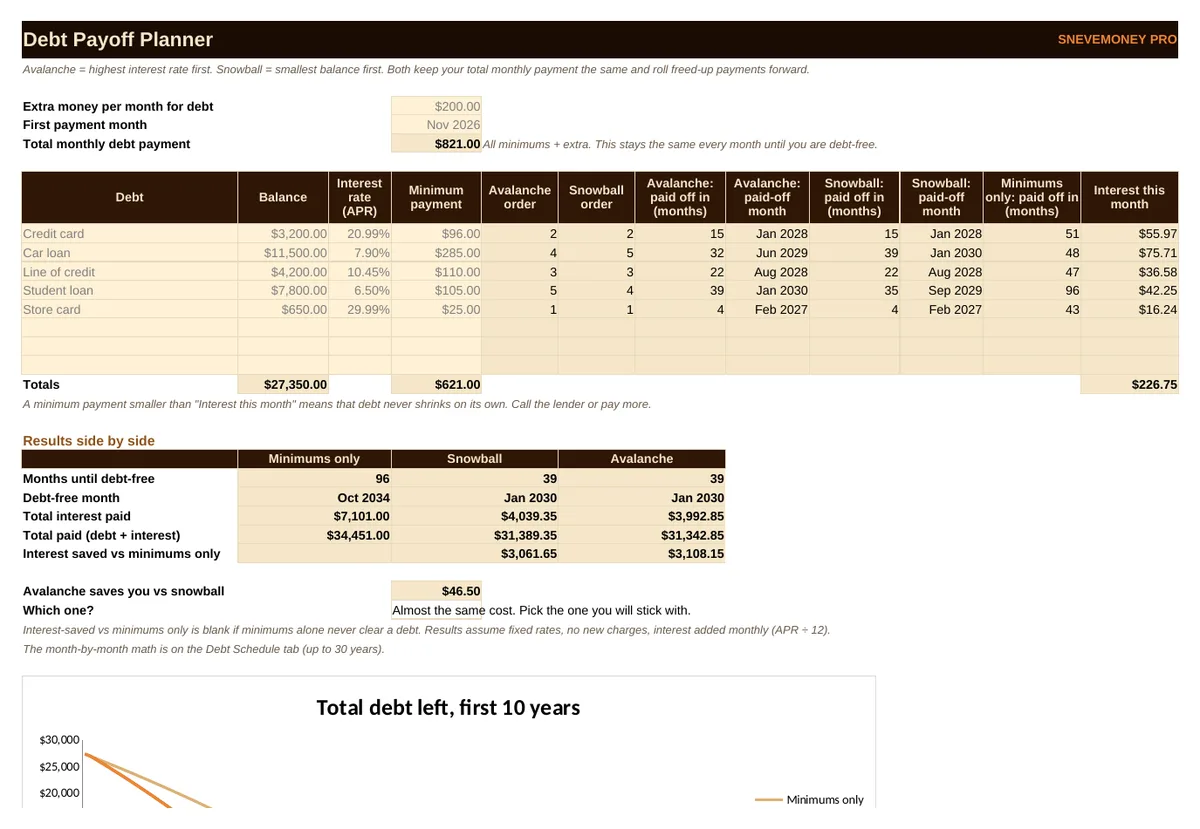
Up to 8 debts. Avalanche, snowball and minimums only side by side, your debt-free date, total interest and a 30-year schedule.
TFSA vs RRSP vs FHSA
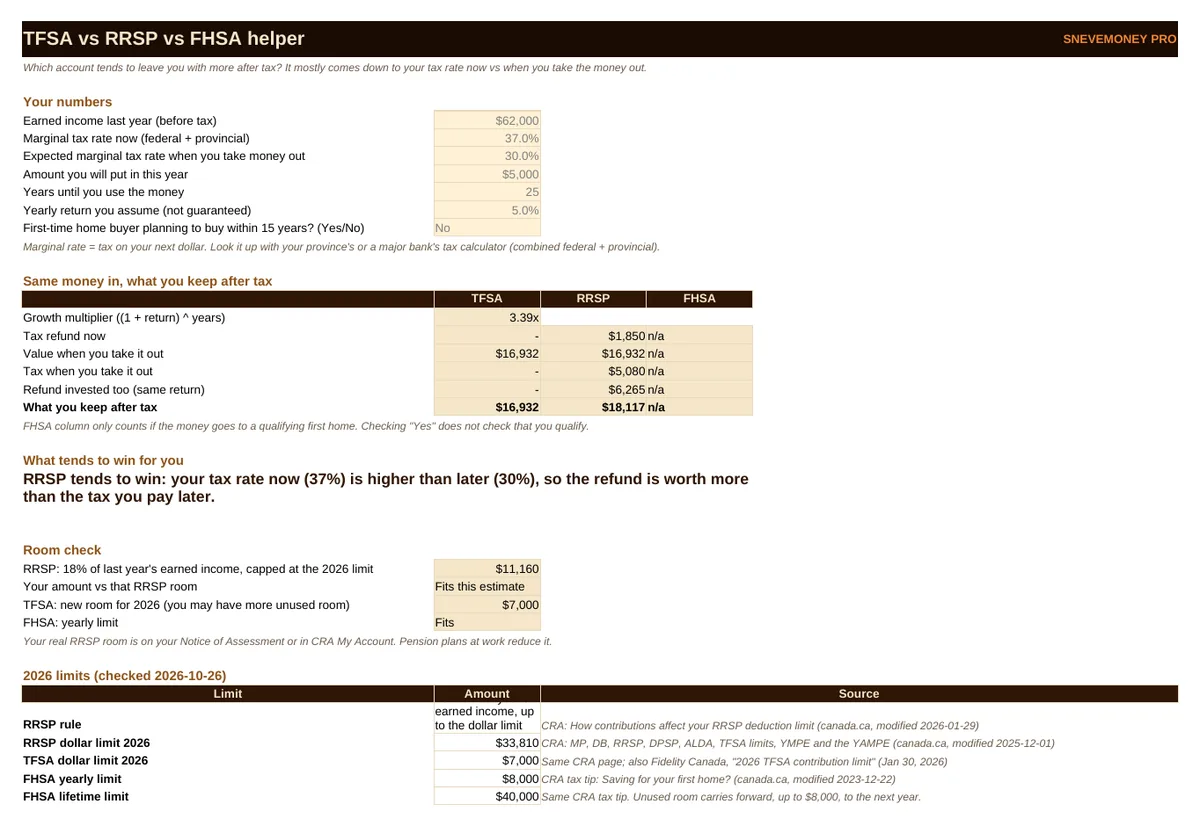
What you would keep after tax in each account, which one tends to win and why, and a room check against the 2026 limits.
Investing Growth + Fee Drag
Up to 40 years, your fee vs a low-cost fee, in dollars.
Car Affordability
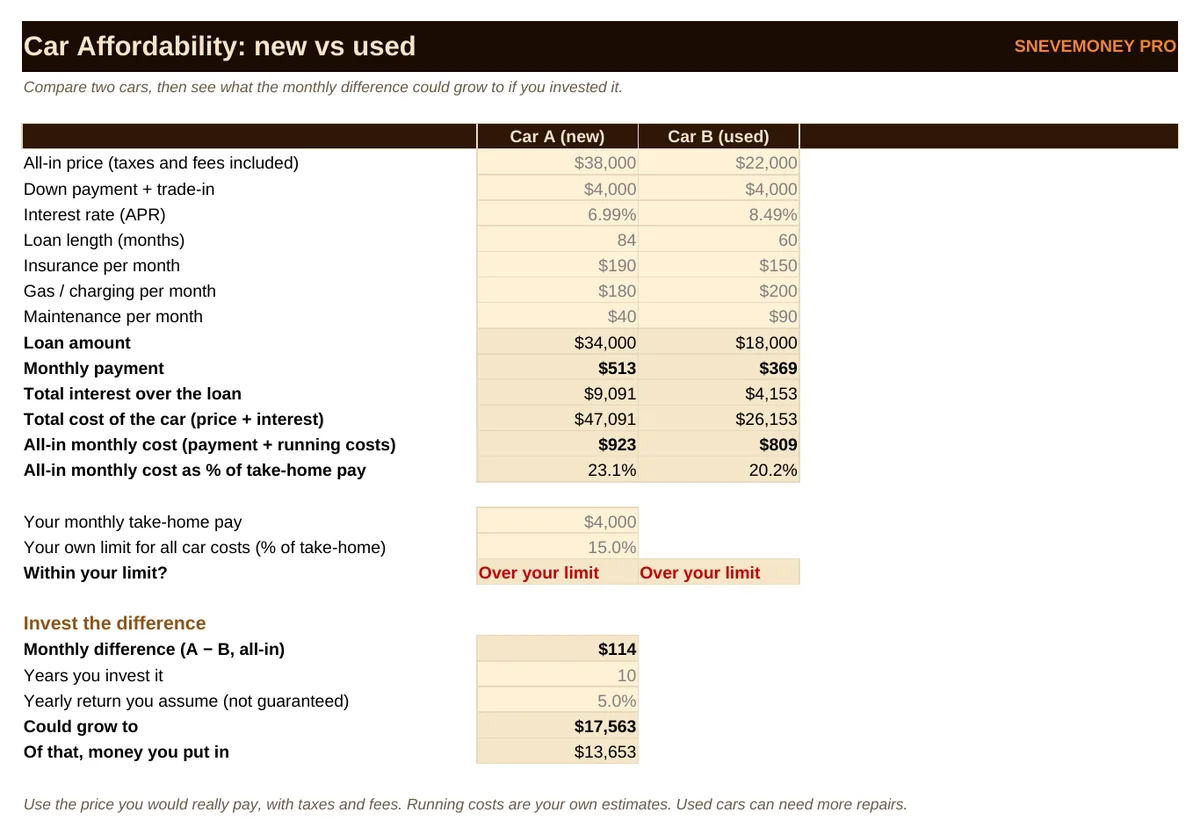
New vs used payment, total interest, all-in monthly cost as a share of take-home pay.
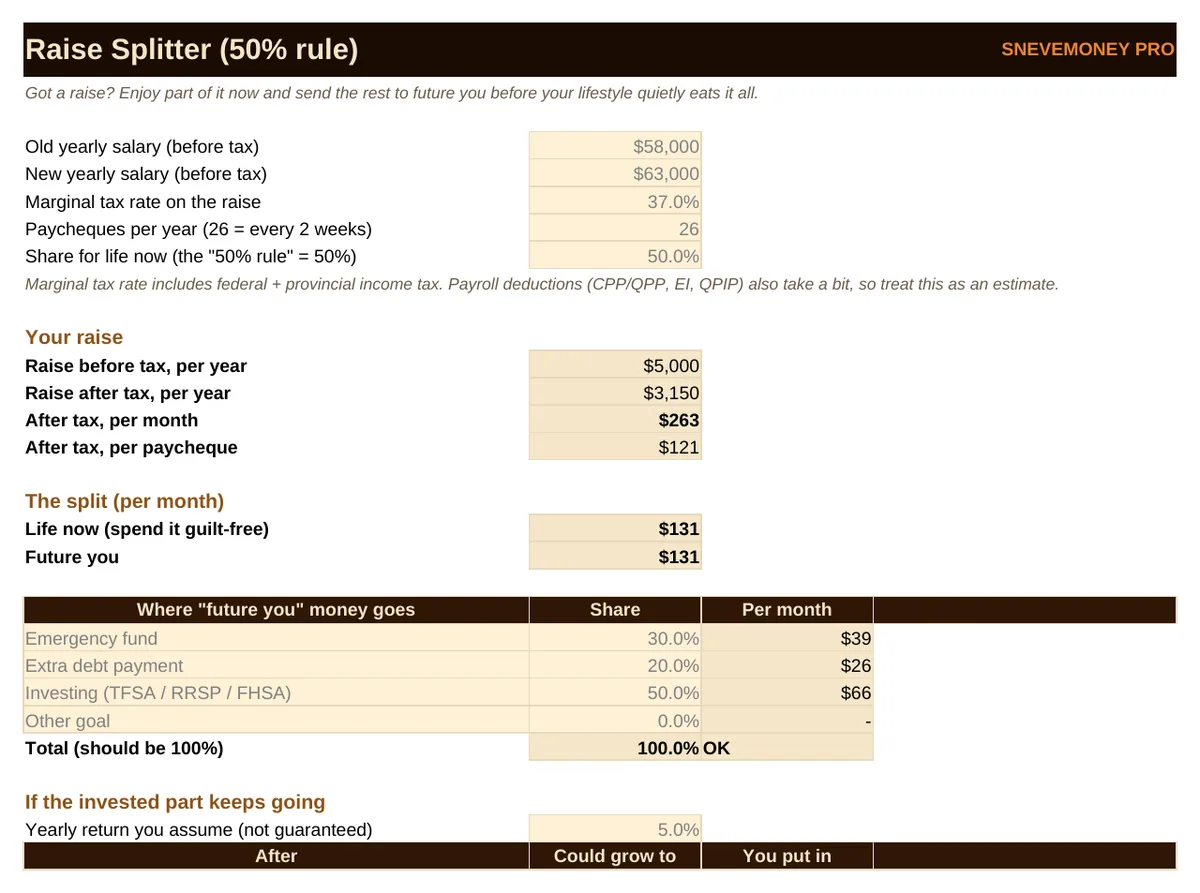
Raise Splitter
Your raise after tax, split between life now and future you.
Subscription Audit
Cost per use, keep or cancel, and what cancelling could be worth.
Net Worth Tracker
24 months of assets and debts with a chart.
Emergency Fund
Target, deposit log, progress bars and a goal date.
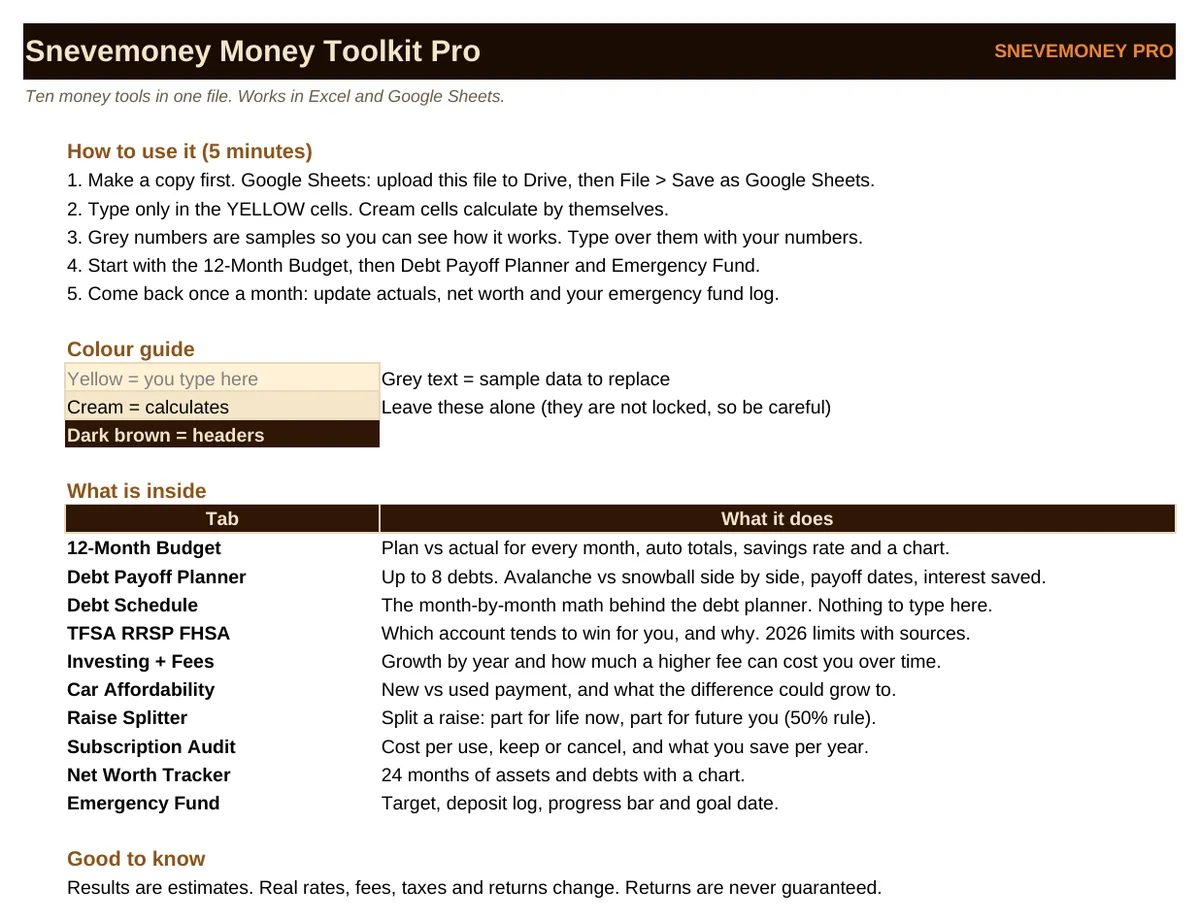
Start Here
A one-page guide and colour key.
Questions
Does it work on a Mac or phone?
Yes. Open it in Google Sheets (free) or Excel. On a phone, Google Sheets works best for reading; typing is easier on a computer.
Is it only for Canadians?
The account tab uses Canadian accounts (TFSA, RRSP, FHSA). Every other tab works anywhere.
Is the free kit enough?
For many people, yes. The free sheets each do one job. The Toolkit links ten tools in one file with month-by-month tracking and charts.
How do I get the file?
Right after checkout you land on a download page. Lost it? Email snevemoney12+business@gmail.com with your receipt and I'll send it.
Money Toolkit Pro
One-time price, CA$19. Secure checkout by Stripe. Educational tool, not financial advice.
Not ready? The 7 free tools stay free.